At a glance
I built a renderer for Gaussian splats inside Unreal Engine 5.7, working at the engine's low-level rendering layer so I have direct control over how the splats are drawn.
The same system can also treat the splats as a particle simulation. A captured scene can be grown and reshaped instead of staying fixed.
It runs in real time for games and offline at 4K for film and previs work. The renderer draws around 1.5 million splats interactively on a laptop, with two color modes: one that matches how a scan was captured, and one that renders the splats through the engine's normal pipeline.
The rendering, the two color modes, the particle simulation, and the 4K offline path all work today. Getting the splats lit by the scene's own lights is the main piece still ahead, as neither color mode lights them yet.
The idea
A lot of the 3DGS work I'm seeing right now is about capture: scan a real place or object, then render it back from new viewpoints. You can move the camera around them, but you can't change them.
What interests me is what happens when they aren't fixed. The same splats that make up a captured scene can also work like a particle simulation: you can grow them, deform them, or have them react to things, instead of only looking at the scan.
Why splats are hard to put in an engine
A few things make splats awkward to drop into a game engine. They're translucent, and depending on the blend mode you use, the order they're drawn in matters. And there can be several million of them per scene. The engine's renderer is tuned for opaque meshes, and a lot of its lighting and shadowing has no path for this kind of content.
The way splats are frequently captured and trained these days, their color doesn't line up with how the engine moves color through its pipeline, so importing them naively comes out looking wrong. Most of the work here went into those three problems: drawing the splats efficiently, fitting them into the engine's rendering interfaces, and getting the color right.
How it's built
Underneath both the renderer and the particle system is one pipeline. It takes a set of splats, projects and sorts them, and draws them. Whether those splats come from an imported scan or from a running simulation is a flag in the code, and everything after that point is shared.
That sharing is why the project is organized the way it is. A static scan and a live simulation are the same kind of data, so the same projecting, sorting, and compositing code serves both. The renderer part of this project is just this pipeline reading fixed splats from a .ply import, and the particle system is the same pipeline reading splats that change every frame.
The pipeline plugs into Unreal through the interfaces the engine uses for custom rendering: a vertex factory, a scene proxy, and a view extension. That makes the splats behave like real scene content for depth and post-processing. It's also the groundwork for the lighting described later, which needs the splats to be visible to the engine's shadow and global-illumination systems.
One pipeline, two sources
The real-time renderer
I set up the renderer at the RHI level, Unreal's lowest rendering layer, so I can control each stage of the drawing directly. Each frame a chain of compute shaders projects the splats to screen, culls the ones that don't contribute, sorts them by depth, and composites them into the image.
The sort is the part I'm happiest with. Alpha blending only looks right in depth order, and the common approach of bucketing splats into screen tiles and sorting each tile drops splats in dense areas when a tile fills up, which shows up as seams. I switched to a single global GPU radix sort over a key that packs tile and depth together, so the ordering comes out of one pass with no per-tile cap. It runs in under a millisecond at 1.5 million splats.
On performance: that 1.5 million splat scene runs around 32 fps in the editor (about 60 when looking away) on the laptop 3080 Ti. For comparison, Magnopus's OKO plugin handles roughly 7 million at 60 fps, though that's a static viewer on a stronger 4090 (not a dynamic particle system with two color modes and affectors). I've spent most of my time working on getting the rendering correct rather than chasing throughput. The per-splat packing most renderers use to go faster is something I haven't put in yet.
Per-frame compute chain
Two color modes
There are two ways to get the splats into the final image, and they make different trade-offs about color.
The first matches the look the scan was captured with. Splat captures bake their color in assuming a particular color space, and feeding that straight through Unreal's normal color pipeline processes it twice and comes out washed out. To avoid that, this mode draws the splats into their own buffer and composites them into the frame after the engine's tone mapping, so the result matches what a standard splat viewer would show. This is the mode I use for imported scans, and it's the same approach the Volinga plugin sells as its main feature.
The second draws the splats inside the scene through the engine's normal color pipeline, so they pick up its exposure, tone mapping, and grading like everything else. The color comes out different from the capture, which is expected, since it's now going through the engine's film response.
Neither mode lights the splats from the scene yet. Both show the color baked into the capture.
The live particle system
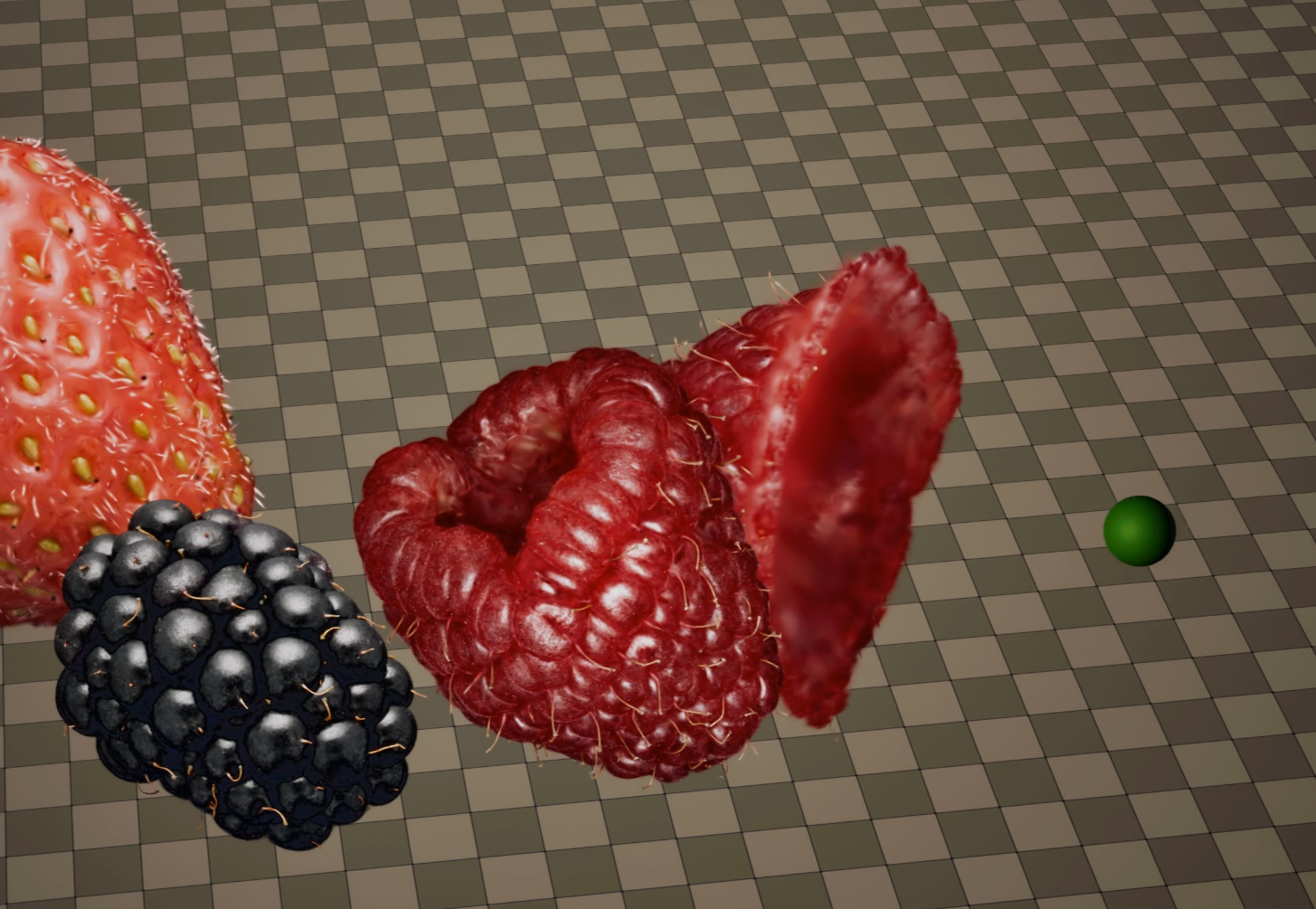
The same splats that render a static scan can also be driven as a particle system, where each particle happens to draw as a Gaussian. Since I own the compute pipeline, per-particle behavior is just code I write. I've built three things on it so far.
The first is organic growth. Each particle carries a small reaction-diffusion field, and the interaction between neighbors produces cellular, Turing-style patterns that spread across the surface as it grows. The part that took some thought was keeping the particles evenly spread. Each one looks at how crowded its neighborhood is and adjusts its own size to hold a target neighbor count, so the cloud redistributes itself as the surface changes without being retuned for each scene.
The second is deformation. Moving shapes, which I call affectors, pass through the cloud, and the splats move out of the way and then return. Each affector is a small surface blended into the scene's distance field, and splats near it slide along and settle back once it leaves. Spheres and capsules work now, and the next step is attaching one to an animated character's skeleton so a figure can push through a splat scene as it walks.
The third is conforming a capture: taking an imported scan and letting its splats drift off their original positions onto a target surface, so the asset becomes something you can reshape instead of a fixed model.
All three use the same representation as the static-scan renderer, so a captured asset and a running simulation are the same kind of object in the system.

Rendering offline at 4K
The same pipeline can render offline at higher quality through Unreal's Movie Render Queue, which is how the engine gets used for film and previs work. That makes the color-faithful mode useful beyond games, since a scan rendered correctly at 4K is the kind of thing virtual production needs.
Getting a heavy scene to render at 4K took some debugging. The first attempt ran out of video memory and crashed. The memory dump showed the 4K buffers were small, around 600 MB, while about 13 GB stayed resident the whole time, mostly the splat set and its supporting structures, against a 15 GB budget on the laptop. The constraint was that resident data, so I worked on shrinking it: cutting overscan, dropping some debug buffers, and lowering a couple of quality settings for the render. After that, 4K renders cleanly.
A debugging example
One bug is a good example of the kind of problem this involved. With the composite render path on, the splats rendered frozen in place. The debug draw moved with the camera, but the composited splats stayed locked to the scene, and moving an affector barely changed the shading. It looked like a render bug, maybe a stale buffer or a bad transform.
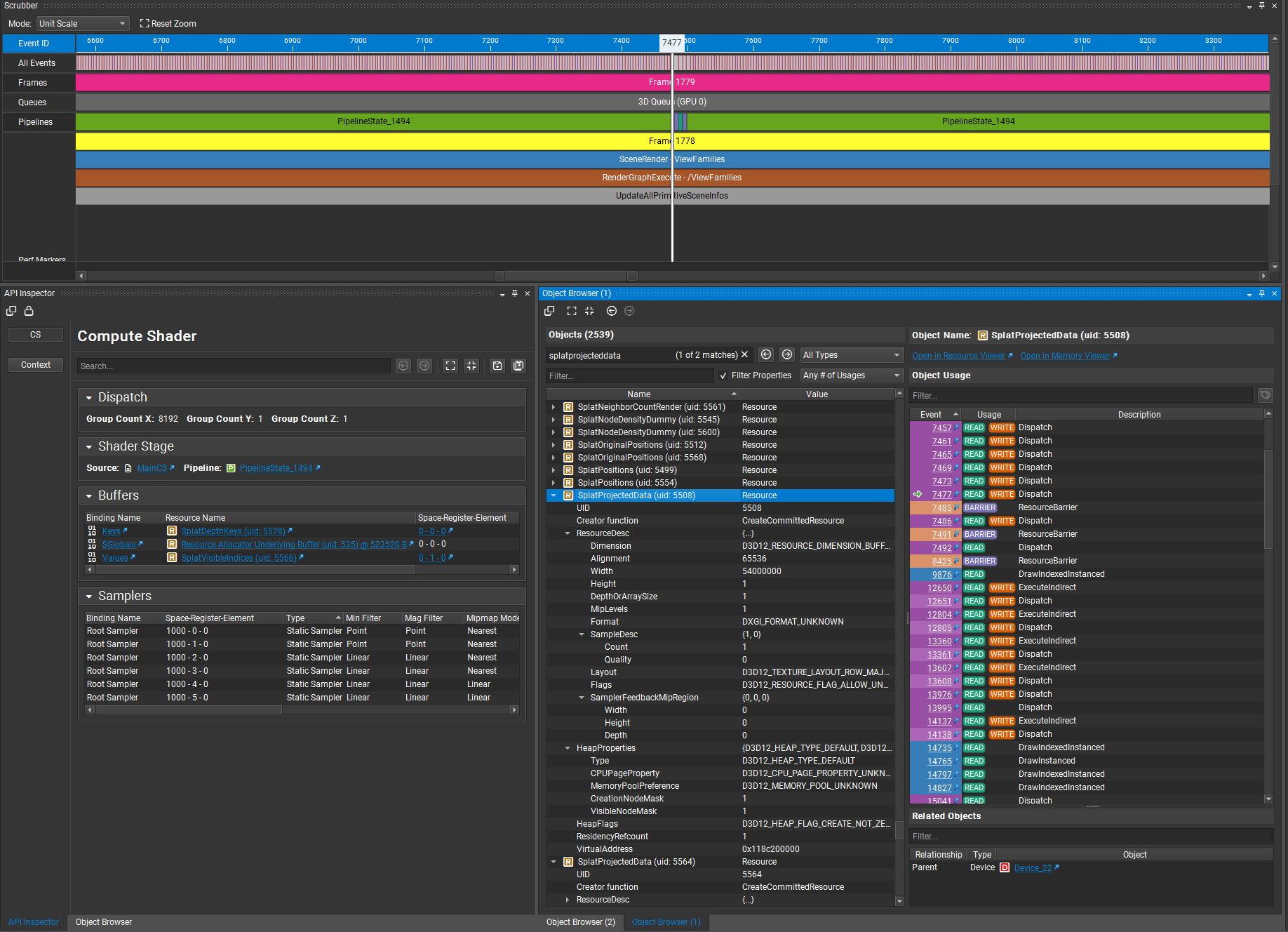
It turned out not to be one. I took a frame capture in Nvidia Nsight (after turning on an option that restores the pass names, which Unreal hides by default) and saw two complete sets of every per-splat buffer: two position buffers, two projected-data buffers, two color buffers. Each proxy owns exactly one position buffer, so two sets meant there were two proxies for a single placed actor.
A one-frame log of the active-proxy list confirmed it. There were two proxies at the same actor position but with different scene pointers: one belonged to the editor world, one to the Play-In-Editor world. The list was a process-global that I iterated without checking which world was being rendered, so during play the editor-world copy, which never ticks and so never moves, was being drawn into the play view on top of the live one.
The fix is one line in spirit: skip any proxy whose scene isn't the one currently rendering. It has to go in two places, though, and the half-fix was instructive. Guarding only the first loop unfroze the splats but left them sliding with the camera, because the second loop was still compositing the stale editor-world projection. That slide was the clue that pointed at the second spot. The underlying cause is that a process-global list of proxies has to be scoped per world, since Play-in-Editor duplicates the world and both copies register themselves. The same cause was behind two other problems I'd run into, so fixing it cleared all three.
A couple of decisions
Two of the decisions here are worth explaining, since they're the kind a reader might second-guess.
The biggest was dropping Unreal's particle system, Niagara, and building at the RHI level instead. Niagara would have been quicker to start with, but iterating on it meant clicking through the editor for every change, which got slow enough to justify writing the lower-level version where the whole thing is code I can change directly.
The lighting work is the clearest thing I've deliberately left for later. Getting the splats lit by the scene means making them visible to Unreal's shadow and global-illumination systems, which expect content to be registered with the engine's GPU scene in a particular way.
Where this is going
Coming back to the idea from the start: most of the momentum here is on the capture-and-view side, and there are good commercial tools for it now. The part that's still open is making captured scenes editable and reactive, which is harder, since it means running a simulation on the same data you're rendering.
This project is a working version of that combination on one machine. It isn't finished, and the performance and the lighting both have clear next steps. But the core of it works: a scan and a simulation sharing one representation inside a real engine. That's the direction I want to keep working in.
Appendix
Built with Unreal Engine 5.7, C++, and HLSL compute shaders, on the engine's RHI and render-dependency-graph layers. Versioned in Perforce. Roughly 15,000 lines of C++ and HLSL across the plugin, with around 60 runtime parameters exposed through an in-editor control panel.
Reference points: the original 3D Gaussian Splatting paper (Kerbl et al., 2023) for the rendering and sorting behavior; EWA splatting for the projection math; and Magnopus's OKO and Volinga as the existing Unreal splat renderers I compared against.
Gaussian splats provided by Dany Bittel